
Access Requirements #
Currently, the media content is available for browsing and downloading with water marks without a user account. Access to the original content is available by requesting a free account.
You can access the media content through this link:
Media Library Server
You can request an account for full access through this link:
Media Server Access Request
It is possible to browse the publicly available media assets, and to download them in limited size with a watermark.
Browse, Search & Filter Available Media Assets # #
You can browse all publicly available media assets from here:
All Media Library Assets
You may login with your account to access the files in original size and without watermark.
The Media Assets are structured and organized using collections, keywords, tags, geolocation, file types and more.
Libraries/Collections #
Collections are ready-made albums that contain media files with a common subject such as Nature, Gastronomy, and so on. You may browse the available collections by cliking on the left menu’s Libraries title in this page here:
Medial Library Collections

Tags/Keywords #
You may also browse available media assets by using one or more of tags and keywords structured carefully using a tag tree in the left menu of your media browser page.
The tag tree is detailed and contains common tourism categorizations such as destinations, sub-sectors in the value chain, common interests and topics, and so on as detailed below.
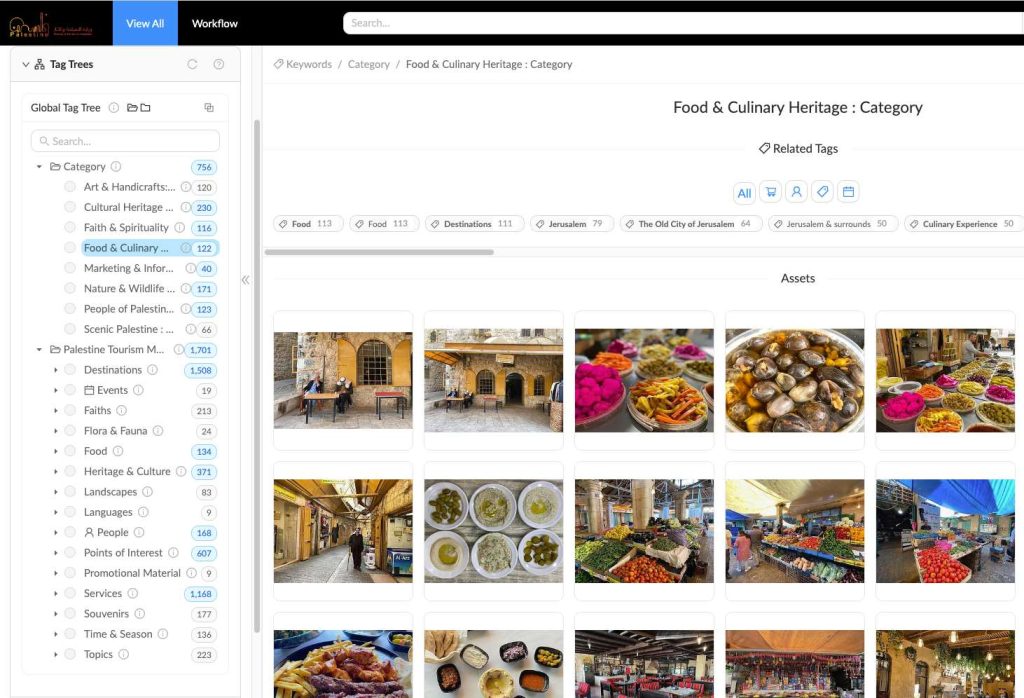
From the media browser window above, you may select and download a single or multiple files, as well as search using the Search Bar on top.
Search & Filter Available Media Assets #
You may easily search available media assets using the Search bar on top, either as a free search or in conjunction with one or more filters, tags or collections in the left menu.
Downloading Media Assets #
Media Assets are available to download free of charge in limited dimensions and with a watermark to unlogged users. After acquiring your free account, you may download any file in its original size and without a watermark.
Once you have an account, your may access the media files in multiple ways:
- Downloading files from the frontend
- Access the files with a WordPress plugin
- Develop your custom code to access the media files via API
Downloading files from the frontend #
The most basic way to access the files is by downloading a portable copy of the files for use in your own online or offline material.
To download files from the frontend, simply locate the file or group of files using search, filters, collections or tags. From the search results window view, you may click the “eye” icon on any single file to view and download that particular file.
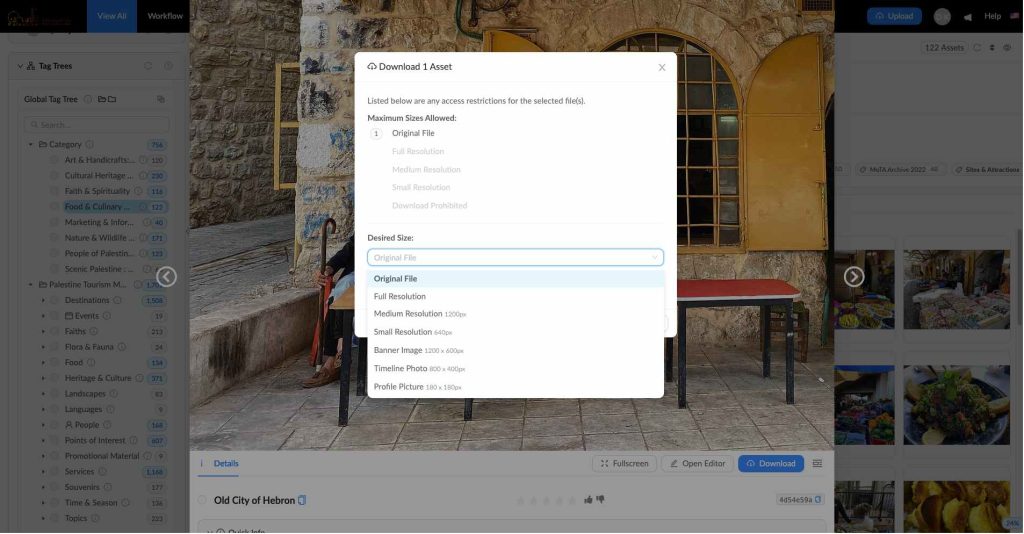
To download multiple files, select and download the files that you wish to download by clicking on them from the search results page. Once you’ve completed your selection, you may access the download feature from the “settings” button on the right upper corner.
The download feature allows you to choose the desired file size. When downloading more than one file, the files will be download in compressed ZIP folder to your local drive. The media server offers other options such as sharing a downloadable link to the files you selected or download directly in your Google drive, dropbox or other online file vaults.
Access files with a WordPress Plugin #
To further facilitate the access to media files in digital format, we developed a custom WordPress plugin that allows web developers and wordpress administrators to easily access media files available on Destination Palestine Media Library directly into their WordPress development environment.

The plugin is built on top of the Media Library’s open API structure to seamlessly integrates into WordPress’s default media library, allowing web developers and administrators to easily search for, filter and and import media assets directly from within WordPress development dashboard, saving considerable development time and effort and ensuring a quality in marketing to the very last mile.
As a tourism manager or business owner, you may engage your IT staff or external digital consultant with PTML WordPress plugin and other developer tools available at Destination Palestine ODR in one of the following ways:
- Start here by reading PTML WordPress plugin documentation
- Download PTML WordPress plugin
- Read uses cases related to PTML WordPress plugin
API Access to Media Server #
If you are building your custom tourism marketing app or website, you can develop your own code to access the media server via API. After obtaining the relevant access account, you may achieve this in one of two available methods:
- Access the Assets Server, and use the internal integration with Media Server here.
- Access the Media Server directly using the API documentation here.
